
- Key Takeaways
- Why Leads Go Cold
- How Automated Follow-Ups Help
- What to Automate First
- The Human-Automation Balance
- Measuring Your Success
- Build Your System
- Conclusion
- Frequently Asked Questions
- Why do leads go cold so quickly?
- How can automated follow-ups improve conversions?
- What should I automate first in my follow-up process?
- Will automation make my follow-ups feel less human?
- How do I measure if my automated follow-ups are working?
- What tools do I need to build an automated follow-up system?
- How often should automated follow-ups be sent?
Key Takeaways
- By responding fast, maintaining visibility in busy inboxes, and ensuring a regular cadence of outreach, automated follow-ups stop leads from going cold. This eliminates lost opportunities that are common with slow or forgotten manual follow-ups.
- By establishing instant response triggers and basic nurture sequences, you can make sure every lead is getting the right messages at the right time in their journey. Such consistent contact facilitates deeper involvement and increases response and conversion rates.
- Automating repetitive tasks like quotes, appointment reminders, and service feedback frees up teams to focus on higher-value conversations. This boosts efficiency and frees up sales and service staff to address more complex customer demands.
- Data from open rates, reply rates, conversions, and customer lifetime value help untangle and optimize automated workflows. Checking in on these numbers routinely helps you drive better subject lines, timing, and message content as time goes on.
- This balance between automated and human touches keeps the outreach efficient while allowing you to maintain empathy and trust. Routine communication can be taken care of by automated systems. For sensitive or high-priority cases, it can be handled by a real person.
- Just as important as building an effective system is choosing the right platform to build it, mapping the customer journey, and writing clear, branded messages. If you test with a small segment before scaling, it will help make sure automations work smoothly and in your brand voice.
Automated follow-ups are messages or actions that schedule themselves after a trigger, such as a missed call, form fill, or unread email. They keep teams in touch with leads, clients, or users without manual tracking or reminders. In most tools, such automated follow-ups can go through email, SMS, chat, or in-app alerts and are often time or user behavior driven. Workflows such as “send a reminder after 24 hours” or “check in after a week of no reply” are typical. For multiple teams, they reduce reaction time, increase conversion rates, and maintain communication flow. Below come the primary varieties, use cases, and easy setup steps.
Why Leads Go Cold
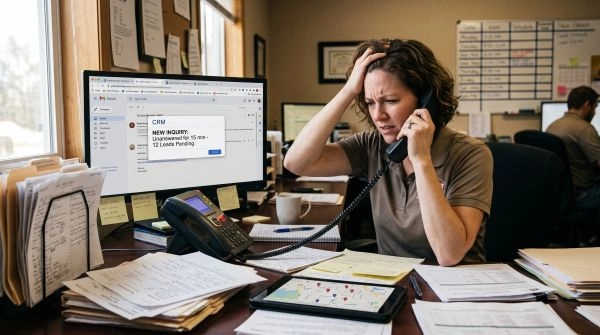
Leads rarely go cold for a single reason. They tend to drift away due to a pile-up of little timing, messaging, and process gaps that accumulate until the individual ceases to respond.
Slow response times, missed emails, and delays from manual work all contribute. When someone submits a form or responds to an initial email, they’re typically most receptive then. If they don’t hear back within a few days, they move on to something else, another tool, another vendor. A lot of teams still record follow ups in spreadsheets or notes, so responses languish unobserved or trapped in somebody’s personal inbox. Even a single busy day can shove a task to “later,” and later is frequently code for never. This is one explanation as to why leads go cold, which is why 80% of sales require a minimum of five follow ups and yet many salespeople give up after one. A lead that could’ve said ‘yes’ on touch three or four goes cold because you only get to touch one.
Crowded inboxes and feeble message content bring further friction. People scan mail quickly and bypass anything that seems generic or ambiguous. If your email looks like every other pitch, uses the same subject line, or talks all about your product, not their problem, it gets buried. With no obvious benefit, the reader has no impetus to respond. If the call to action is ambiguous, like “Let me know your thoughts,” they might not know what they’re supposed to do. At the same time, over communicating can backfire. A long daily series with pushy language can seem spammy and drive a lead to mute or block you. Spaced touchpoints work better. For example, four to five follow-ups over three to four weeks, and gaps of around three to four days can raise reply rates by about 31 percent compared with much shorter gaps, research shows.
Inconsistent outreach and messy sales paths turn down the heat. Without just-in-time scheduling, these follow-ups are ad-hoc and easy to slip away from. One week you send three e-mails, then two weeks nothing. By the time you write again, the buyer has to remember who you are and what you discussed. Long, complex sales steps exacerbate this. If a lead has to book a call, attend a demo, review a 12-slide deck, and then wander endlessly waiting for internal approval alone, they wear out. Decision cycles are slow and internal champions are busy. Without easy next steps, fast updates, and casual check-ins, your contact can lose momentum or get swallowed by other tasks. Manual work, like copying notes between tools or constructing every follow-up from scratch, consumes time that could otherwise be spent sending targeted, helpful messages that address actual pain points.
How Automated Follow-Ups Help
Automated follow-ups keep post responses flowing without a person monitoring each discussion. They can send confirmation notes, reminders, and updates at the right time and then sync all that activity with your CRM, making marketing automation a natural extension of the process.
1. Immediate Response
Triggers can fire the instant someone completes a form, schedules a demo, or downloads a guide. For businesses that also receive inquiries through their website, chatbot automation can provide another immediate response channel while routing more complex questions to a member of the team.
Speedy nudges make a difference when people are busy and bounce between tasks. Automation can queue reminder emails or SMS a few hours or days after the first touch, which helps to lift reply rates because the timing is regular and not tied to someone’s workload that day.
All inbound leads can receive a message that still sounds personal. A lot of them allow you to import the name, company, and last page visited, so the email or text appears written for that person but is sent with no manual action. Meanwhile, automatic call follow-up tasks pop up in the CRM, slashing arbitrary lag between form fill and first live contact.
2. Consistent Nurturing
Nurture sequences help to keep muzzled or dead-in-the-water leads moving through easy, consistent touchpoints. For instance, a six-email series over thirty days can distribute a quick guide, a case study, and a call book reminder without anyone having to open calendar alerts or copy templates.
These workflows can span the entire customer lifecycle. A fresh trial user might receive set-up tips in the first week, success stories in the second, and a “how can we help?” check-in afterward. That same logic can help existing customers with renewal reminders, product update notes, or training invites.
Automation can respond to action or inaction. If a prospect doesn’t reply within 3 days, a follow-up email is initiated. If they open but don’t click, a different message goes out. This event based logic helps leads stay top-of-mind and minimizes the risk that they fall through the cracks when teams get swamped.
3. Saved Time
Trivial tasks like appointment reminders, post-call recaps, and “still interested?” emails are simple to delegate to workflows. Once established, they operate behind the scenes and encompass countless tiny actions that would require dozens of clicks every day.
CRM automation rules can log activities, update deal stages, and message standard messages automatically. That reduces the admin overhead so sales reps can focus more of their day on live calls, custom proposals, and nuanced questions that actually advance deals.
By moving onboarding emails, welcome series and early check ins to auto follow sequences, teams steer clear of stitching together one-off notes from ancient threads. This assists in managing active deals and monitoring engagement with existing customers within a single system.
4. Data Insights
That’s because automated follow-ups generate nice, neat, structured data. Open rates, reply rates, click rates, and unsubscribes tell you which subject lines and messages work and which pieces of a sequence lose people.
Thanks to CRM sync across email, web, and even sometimes phone, managers can now see recent activity for each contact and how leads flow through stages. This perspective enables smarter choices about which cadences to maintain, pause, or modify.
Most report on deliverability and sender reputation, which helps teams tweak send times, domains, or content style to stay out of spam folders. Over time, managers get real numbers on sequence performance, so they can evolve strategy rather than guess.
5. Professional Image
Timely, beautifully structured templates lend a consistent brand vibe, whether somebody’s receiving a first welcome message, an order confirmation, or a renewal reminder. The system sends it, but the note can still sound human and sound like you.
Automation trims long, tangled threads and digressions. Easy sequences keep each message focused on a single step, which gives contacts a tidier inbox experience and helps reps know what was already communicated.
Automated follow-ups assist teams in keeping consistent and timely contact, minimizing missed opportunities, and increasing sales efficiency without introducing additional overhead.
What to Automate First
Begin with systems that advance leads from interest to action, not ancillary tasks. Think of easy, dependable follow-up flows that eliminate admin work and keep every lead on your radar.
- Follow-ups that are sent within five minutes of a new lead
- Quote follow-ups that nudge deals to yes or no.
- Appointment reminders that cut no‑shows and wasted travel
- Post-service feedback that identifies at-risk customers and upselling opportunities.
Start with simple, high-impact workflows that eliminate manual outreach, then expand into more involved paths. Every sequence should serve one neat objective, for example, ‘get an answer to the quote’ or ‘lock in the appointment’ so the logic remains crisp and simple to optimize. Connect every flow to an explicit trigger such as ‘quote sent’, ‘form submitted’, or ‘task completed’ so leads never stagnate and your team can juggle dozens of accounts without dropping the ball.
Quote Follow-Ups
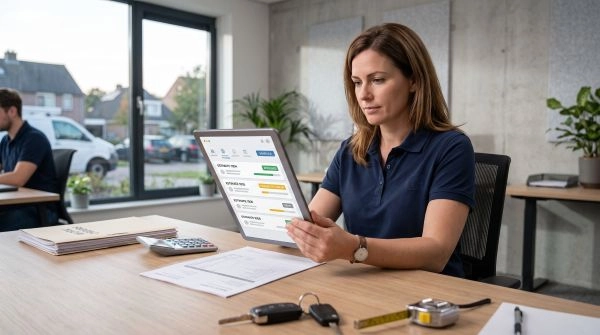
Automated quote follow-ups are most effective when you begin right after the quote is sent, while the interest is still fresh. The first email in the sequence should send within minutes of the quote trigger, restating the offer, time frame, and next step. Later messages can address FAQs, provide easy price breakdowns, or include a quick case study applicable to the service, like plumbing repairs or an HVAC system change-out.
If there is no response after one to two emails, then it can auto-generate call tasks or send a brief SMS checking in. This reduces the hazard of “forgotten” quotes and keeps deals flowing without daily list checking.
Activity tracking in your CRM is crucial. It ought to track opens, clicks, and replies and then adjust the schedule. If a lead clicks a “financing” link, the following email might discuss payment plans. Dormant leads—no action for 30 or more days—can drift into a lighter check-in flow instead of remaining in the main sales stream.
Appointment Reminders
Appointment reminders are a quick win for saving time and no‑shows. Configure emails or SMS that go out immediately after a booking is made, with a reminder 24 hours before and if it’s a high-value visit, 2 hours before.
Different services might require different information. Here are some ideas for what to automate first. Roofing visits might require pre-site photos. These small tweaks reduce friction and demonstrate that the visit is intentional, not haphazard.
When reminders integrate your scheduling tool with your CRM, it can mark appointment status, add notes, and start a new sequence if the customer cancels or reschedules. Over time, you can observe which reminder gaps connect to missed visits and adjust timing or channels.
Service Feedback
Feedback flows let you close the loop after work is complete. When a job is marked complete in your CRM, that can trigger an email within a few hours asking for a rating or short survey. Using mail merge, the note can incorporate the customer’s name, service type, and tech or rep name, which generally helps to boost reply rates.
If no response after x days, send one to two gentle reminders. Make them brief and explicit about the request, and provide a direct link to the form.
Monitor open, click and response rates in your CRM or email tool. Leverage that information to identify weak points in delivery, wording or timing. Over time, it helps spot patterns like recurring problems with a job type or area and informs adjustments in training, pricing or follow-up approach.
The Human-Automation Balance
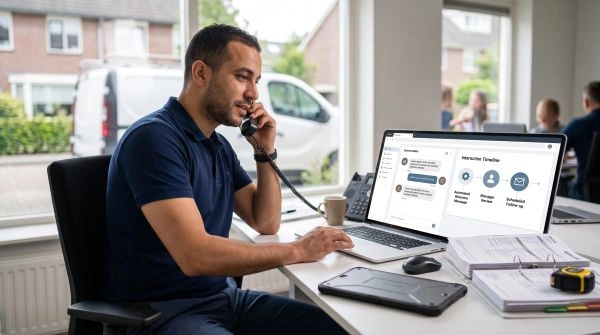
Striking the appropriate human-automation balance is essential in automated follow-ups. It saves you from manual drudgery and maintains faith and genuine connection with those who get your notes.
Automation is great for recurring follow-ups. It’s on 24/7, reminding punctually and keeping your pipeline flowing after your team clocks out. This can boost reply rates and win rates as no lead falls through the cracks or sits idle. Humans still recognize when a message is cold or canned. Tools can’t completely replicate empathy, tone inflections, or the subtle adjustments a human makes when they hear hesitation or strain in a customer’s language.
Personalization builds that bridge. It can apply data, behavior, and preferences to vary content, time, and even channel. For instance, it might send a short email one day after a free trial begins, then a detailed guide if the user has logged in three times. It can select SMS for users who are more likely to open texts than emails. This sort of personalized journey tends to increase NPS since customers feel like the follow-up matches their context, not a rote script.
High-risk or high-impact points require a human. If a customer wants to cancel a contract, is upset about billing, or asks for a custom deal, that ticket should go to a human, such as a customer success rep or a PA. Automation can flag these cases based on keywords or account value and route them to the right human fast. In comparison, low-risk items, such as “Your payment went through” or “Your order ships tomorrow,” can remain fully automated.
The combination is never universal. A few businesses rely more on automation because of volume. Others maintain more human steps because purchasers anticipate lengthy, considered conversations. In either case, teams ought to audit auto-messages frequently, so the voice remains on-brand and doesn’t wander into stilted or robotic territory. A survey reveals that only a minority of customers use chatbots when they require assistance, indicating that most still prefer a human at critical moments.
Measuring Your Success
Measuring your success in automated follow-ups is about tracking metrics that indicate whether your outreach effectively advances deals. Key metrics are lead response time, reply rate by step in the sequence, meeting booking rate, conversion rate, and pipeline velocity. These should live in a single home, typically your CRM and email platform, so sales leaders can view sequence performance, rep activity, and overall pipeline health at a glance.
| Metric | What It Shows | Where To Track |
|---|---|---|
| Lead response time | Speed of first reply to new leads | CRM, helpdesk, call tool |
| Response rate by step | Which follow-up email or message drives replies | Email tool, sales engagement platform |
| Meeting booking rate | How often outreach leads to scheduled calls | Calendar tool, CRM |
| Conversion rate | How many leads move to qualified or closed-won | CRM pipeline reports |
| Pipeline velocity | How fast deals move through stages | CRM dashboards |
| Unsubscribe & spam complaints | List health and sender reputation | Email platform deliverability reports |
Regular reviews, at least weekly, help teams tweak copy, timing, and channel mix. Automation can handle those repetitive nudges, while your reps can remain focused on discovery calls, negotiation, and good old fashioned relationship-building. A good follow-up system mixes value-add content, direct asks, and social proof, such as brief case studies or testimonials, then applies data to optimize that mix as time goes on.
Response Rate
Response rate is the percentage of individuals who respond to your automated correspondence. It indicates whether your outreach seems pertinent, succinct, and timely. If you send an email to 100 people and 12 respond, then your response rate is 12%.
Break down response rates by campaign, service type, or lead source to identify trends. You could observe inbound demo requests respond at 25 percent and cold outbound under 5 percent. That gap tells you where to tighten targeting or change the message.
With free or built-in email tracking tools, you can see opens, clicks, and replies as they happen. If you get a subject line with high opens and hardly any replies, it is usually your body copy or call to action.
Change one thing at a time: subject line, send time, or first sentence. Do reply rates by sequence step, not just the first email. Occasionally, the third or fourth touch, a quick ‘any thoughts on this?’ message generates the best reply.
Track unsubscribes and spam complaints along with reply rates. A lift in replies is meaningless if you have more people flagging you as spam. If a sequence causes complaints, send less often or insert more value-adding information between the hard asks.
Contrast drips against a tiny sample of manual follow-up. If manual messages win by a large margin, bring the finest elements of that tone and organization back into your templates.
Conversion Rate
Conversion rate indicates how many transition from interest to a defined next step, like scheduling a meeting, initiating a trial, or entering into a contract. It’s the connection between activity and actual profit effect.
Track conversion at each stage of your outreach sequence and sales pipeline: reply to scheduled meeting, attended meeting, proposal, and closed-won. A drop between any two steps indicates a point at which your follow-up content or timing is weak.
| Stage | Before Automation | After Automation |
|---|---|---|
| Reply → Meeting booked | 18% | 26% |
| Meeting → Proposal sent | 55% | 60% |
| Proposal → Closed-won deal | 22% | 28% |
See what automated follow-ups spike these numbers. For example, a reminder email with a brief case study might boost “proposal to closed” more than a generic nudge. Adding calendar links in every email can increase meeting booking rates by a simple tweak.
Check for conversion pre- and post-automation roll-out. If reply rates remain flat but meetings and deals increase, your automation is probably outperforming manual outreach by perfecting timing and consistency. Watch pipeline velocity as well. A quicker transition from initial contact to close, even at the same win rate, is a more efficient utilization of your team’s time.
Customer Lifetime Value
Customer lifetime value, or CLV, reveals the revenue across their entire relationship with you. Automation can increase CLV by enhancing retention and expansion, not just new logo acquisition.
Via your CRM, monitor repeat purchases, renewals, upsells, and cross-sells that occur in specific sequences. For example, a post-onboarding nurture series that explains advanced features can drive higher product usage, which often leads to larger plans after a few months. Tie each upsell opportunity to the follow-up track that touched it most.
See how many customers remain at 6, 12, or 24 months when they receive nurture emails versus a control group that receives just the high-level updates. If churn is lower and average spend is higher, your follow-ups are bringing value, not noise.
- Deliver useful ‘how to’ tips based on current product consumption.
- Provide case studies that align with the customer’s size and industry.
- Provide check-in calls at defined milestones, such as 30 days or 90 days.
- Advertise add-ons only once their value is obvious from the core offer.
- Prompt offline-to-online actions with direct response merchandising.
Build Your System
Your auto followup system should seem organized, not mechanical. It demands well-defined objectives, straightforward instruments, and policies that operate behind the scenes while maintaining humanity in each communication.
Choose a Platform
Begin with a CRM or outreach tool suitable for home service work, where the majority of sales are generated through inbound requests, estimates, and site visits. A strong foundation should also connect with your broader digital marketing services so leads can move smoothly from acquisition to follow-up and conversion. Something like Monday CRM or any outreach platform that plugs into a CRM should work, as long as they support sequences, tags, and basic workflow rules. The secret is a no-brainer interface your team can learn quickly and use daily, not some convoluted instrument only one person at the firm ‘gets’.
Confirm the platform can deliver automated sales follow-ups based on triggers and rules. For instance, you could send a reminder 24 hours after a quote is sent or a nurture email 7 days after a missed call. You need tracking information in one place: opens, clicks, replies, and which step of the sequence each contact is on.
Your system should hook into your existing inbox — Gmail, Outlook, etc., and sync with your existing contact lists so your staff doesn’t gnaw their knuckles all day copying and pasting emails. As your business grows, you’ll add staff, more email accounts, and bigger campaigns, so choose a tool that can scale to many users and large volumes without bogging down.
Map Your Process
- Describe in detail how follow-up operates in the present. Note every step a lead takes: form fill, quote sent, visit done, job booked, job completed. For each, explain who reaches out to the customer through which channel and what they say. This simple document will expose omissions and lost follow-ups.
- Create specific triggers for each step! Example: “Quote sent but no reply in 48 hours,” “Invoice paid,” or “Job finished yesterday.” Each trigger should start a clear action: a reminder email, a check-in, or a review request.
- List all repetitive tasks that waste time: sending quote reminders, no-show reminders, maintenance check-ins, and post-service feedback emails. These are prime opportunities for automation.
- Establish outreach cadences and timing for each stage of the customer life cycle. Some new leads could require multiple touches in a single week, while former customers might require a quarterly reminder to service.
Write Your Messages
Create clear, short templates for each recipient type: new leads, existing customers, and dormant contacts. Every email should read like a human being, not a script. Insert the customer’s name, job information, and dates from your system so it still sounds personal, even when the platform sends it.
Utilize brand messaging and one clear call to action per email, such as “reply to confirm a time” or “click to view your quote.” Build a small library of welcome emails after a form fill, quote follow-ups, appointment reminders, and service feedback requests.
Include rules where your system no longer sends messages the second someone replies or books. Then pilot a 2 to 4 week test with a small segment to get real-time figures on sequence performance, reply rates, and pipeline health. Leverage the insight to polish subject lines, body content, and sending times so you minimize manual copy writing but maintain the personalization that gets actual responses.
Conclusion
With automated follow-ups, leads stay warm, you save time and reduce stress. Cold leads are usually code for busy people, mixed signals, or bad timing. Smart tools help you bring order to that chaos.
Go small. Establish a single obvious track for fresh leads. Add a plain old quote follow-up rule. Leverage brief, direct texts that read like a human. For instance, “Hey Alex, noticed you sampled our free trial. Need a rapid video walkthrough or a quick guide via e-mail?
Have the system do the repeat work. Step in for important calls, hard questions, and high-value opportunities.
Ready to give it a try? Select a single step in your lead flow and configure a single follow-up today.
Frequently Asked Questions
Why do leads go cold so quickly?
Leads go cold due to sluggish or intermittent follow-up. They forget or lose interest or pick a competitor who got back to them faster. Defined timing, appropriate messages, and multiple touchpoints assist you in staying top of mind with your brand and minimizing lead attrition.
How can automated follow-ups improve conversions?
With automated follow-ups, you don’t have to worry about delays in sending the right message at the right time. They cultivate leads with useful content, reminders, and promotions. This regular touch establishes confidence, addresses concerns early, and nudges leads to a conclusion that all can boost conversion.
What should I automate first in my follow-up process?
Begin with high-leverage, repetitive activities. Common first steps are: welcome emails, post-form submission sequences, reminder emails for calls or demos, and simple re-engagement messages. These automations not only save time and establish a dependable process that you can quantify and optimize.
Will automation make my follow-ups feel less human?
Not if you’re careful with it. Let automation manage timing and delivery. You write the messages in a personal, helpful voice. Utilize segmentation, first names, and the content they care about. Include defined breaks where a real person intervenes for calls or personalized responses.
How do I measure if my automated follow-ups are working?
Track key metrics: open rates, click-through rates, reply rates, booked meetings, and conversions. Measure performance pre and post automation. Track unsubscribe and spam rates as well. Take these data points and use them to fine-tune subject line, time of day, length of message, and clarity of offer.
What tools do I need to build an automated follow-up system?
You generally require a CRM, an email or marketing automation platform, and maybe a scheduling tool. A lot of tools mix these features. Check for contact tracking, workflow automation, templates, and reporting. Select solutions that fit seamlessly with your site and infrastructure.
How often should automated follow-ups be sent?
How often is based on your sales cycle and audience. One typical strategy is more touchpoints early, then less and less over time. For example, a few emails the first week, then weekly or biweekly. Track engagement and tweak to prevent overwhelming or losing leads.